Baculum 9 – Configuração Gráfica do Bacula, Administração e API

Baculum 9 – Configuração Gráfica do Bacula, Administração e API

Baculum (bacula-gui) é a interface gráfica web oficial do projeto Bacula (bacula.org). Na versão 9, agora ela contém um módulo de configuração, permitindo que o administrador de backup altere configurações de backup sem precisar editar arquivos texto. Além disso uma API é disponibilizada, facilitando a integração com outros softwares, interfaces e consoles.

1. Instalação

Baculum 9 funciona com outras versões do Bacula, mas apenas o Bacula 9 possui os binários json – necessários à configuração gráfica do Bacula.

Para instalar o Bacula 9 a partir do código fonte, acesse <http://www.bacula.com.br/compilacao>.

Uma vez que o Bacula está instalando e funcionando, pode-se prosseguir com a instalação da API Baculum e interface, como se segue.

2. Debian/Ubuntu

wget -qO - http://bacula.org/downloads/baculum/baculum.pub | apt-key add -

echo "
deb [ arch=amd64 ] http://bacula.org/downloads/baculum/stable/ubuntu xenial main
deb-src http://bacula.org/downloads/baculum/stable/ubuntu xenial main
" > /etc/apt/sources.list.d/baculum.list

apt-get update && apt-get install php-bcmath php7.0-mbstring baculum-api baculum-api-apache2 baculum-common bacula-console baculum-web baculum-web-apache2

echo "Defaults:apache "'!'"requiretty
www-data ALL=NOPASSWD: /usr/sbin/bconsole
www-data ALL=NOPASSWD: /usr/sbin/bdirjson
www-data ALL=NOPASSWD: /usr/sbin/bsdjson
www-data ALL=NOPASSWD: /usr/sbin/bfdjson
www-data ALL=NOPASSWD: /usr/sbin/bbconsjson
" > /etc/sudoers.d/baculum

chown www-data /opt/bacula/etc
a2enmod rewrite
a2ensite baculum-web baculum-api
service apache2 restart

# Acesse e configure pelo navegador de Internet a API http://localhost:9096/ e depois o Baculum http://localhost:9095/ 
# (substitua localhost pelo IP do servidor se necessário)

3. Centos/RedHat

rpm --import http://bacula.org/downloads/baculum/baculum.pub

echo "
[baculumrepo]
name=Baculum CentOS repository
baseurl=http://bacula.org/downloads/baculum/stable/centos
gpgcheck=1
enabled=1

[baculumrepo]
name=Baculum Fedora repository
baseurl=http://bacula.org/downloads/baculum/stable/fedora
gpgcheck=1
enabled=1" > /etc/yum.repos.d/baculum.repo

yum install -y baculum-common baculum-api baculum-api-httpd baculum-web baculum-web-httpd

echo "Defaults:apache "'!'"requiretty
apache  ALL=NOPASSWD:  /usr/sbin/bconsole
apache  ALL=NOPASSWD:  /usr/sbin/bdirjson
apache  ALL=NOPASSWD:  /usr/sbin/bsdjson
apache  ALL=NOPASSWD:  /usr/sbin/bfdjson
apache  ALL=NOPASSWD:  /usr/sbin/bbconsjson" > /etc/sudoers.d/baculum

chown -R apache /opt/bacula/etc

firewall-cmd --permanent --zone=public --add-port=9095-9096/tcp
firewall-cmd --reload

service httpd restart

# Acesse e configure pelo navegador de Internet a API http://localhost:9096/ e depois o Baculum http://localhost:9095/
# (substitua localhost pelo IP do servidor se necessário)


 4. Configuração

Primeiro configure a API através da URL http://localhost:9096/ (admin, admin). É possível utilizar o idioma Português e testar cada uma das configurações feitas. Será definida uma credencial exclusiva de acesso à API (usuário e senha ou oauth), de acordo com as telas seguintes.
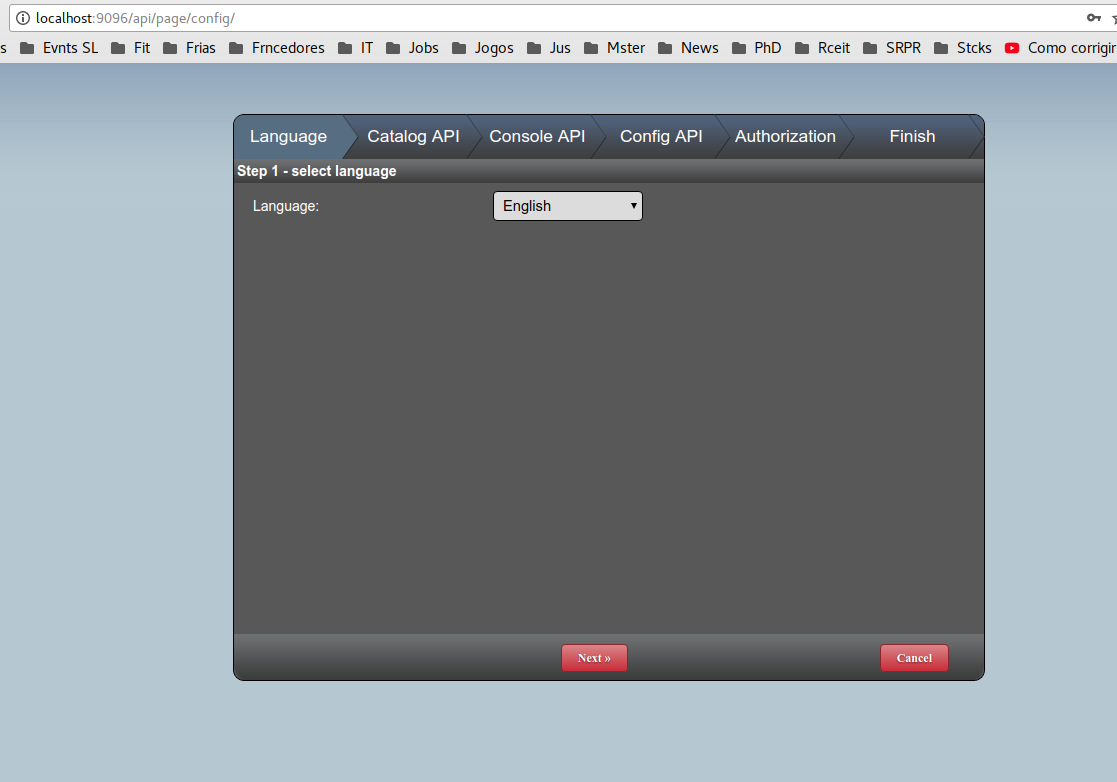
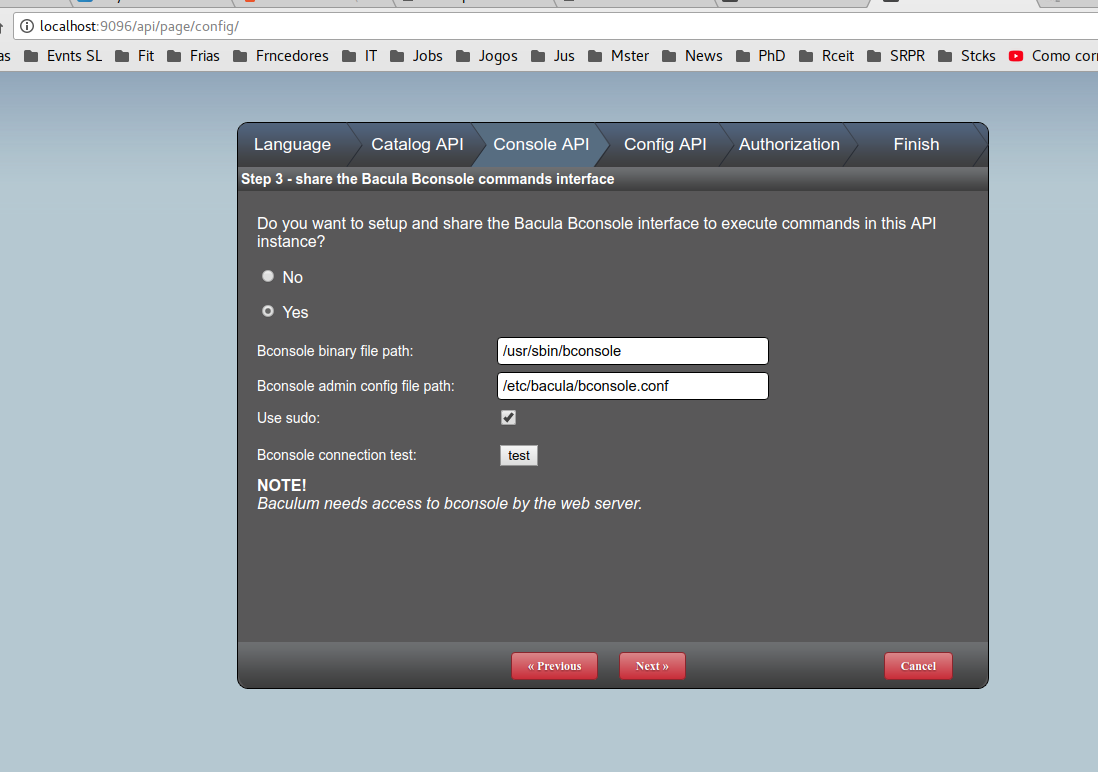
   

Então, acesse a interface Baculum (http://localhost:9095/ – admin, admin) e configure também o idioma, acesso ao banco de dados do Bacula, à API Baculum e credencial da Interface Baculum, conforme a seguir:


5. Temas

Caso deseje desenvolver novos temas CSS ou alterar imagens do Baculum, o local para o tema padrão é o seguinte:

/usr/share/baculum/htdocs/themes/Baculum-v1

6. Screenshots

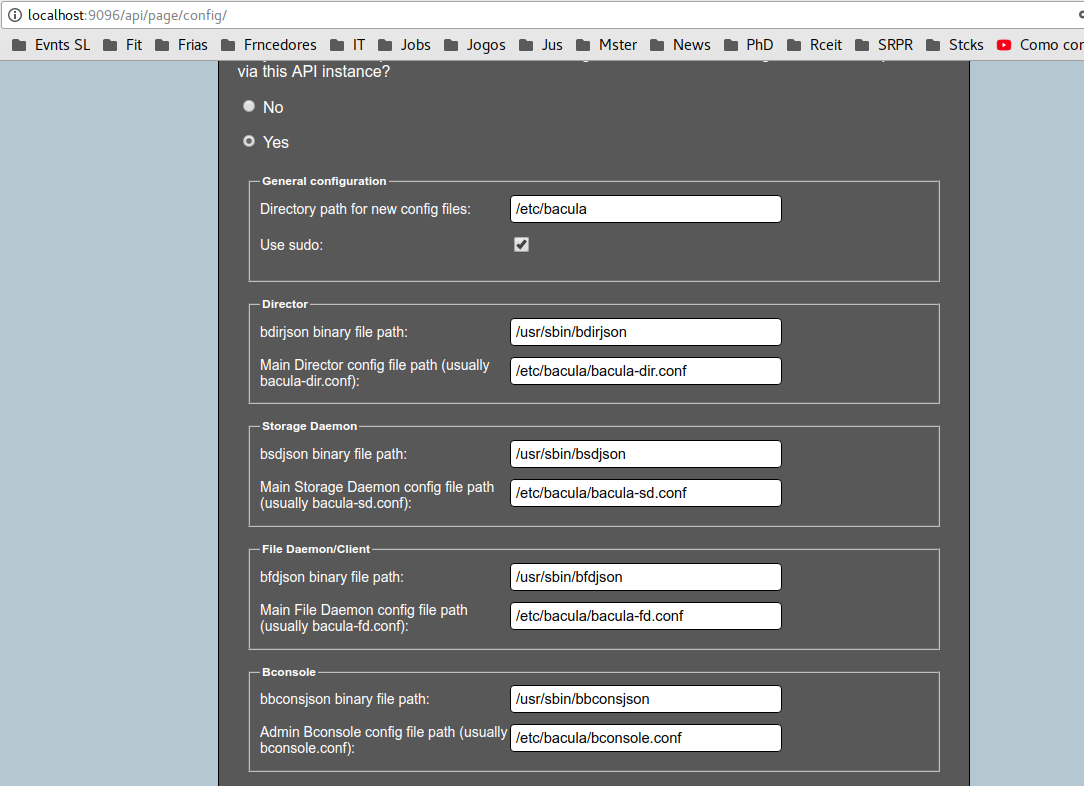
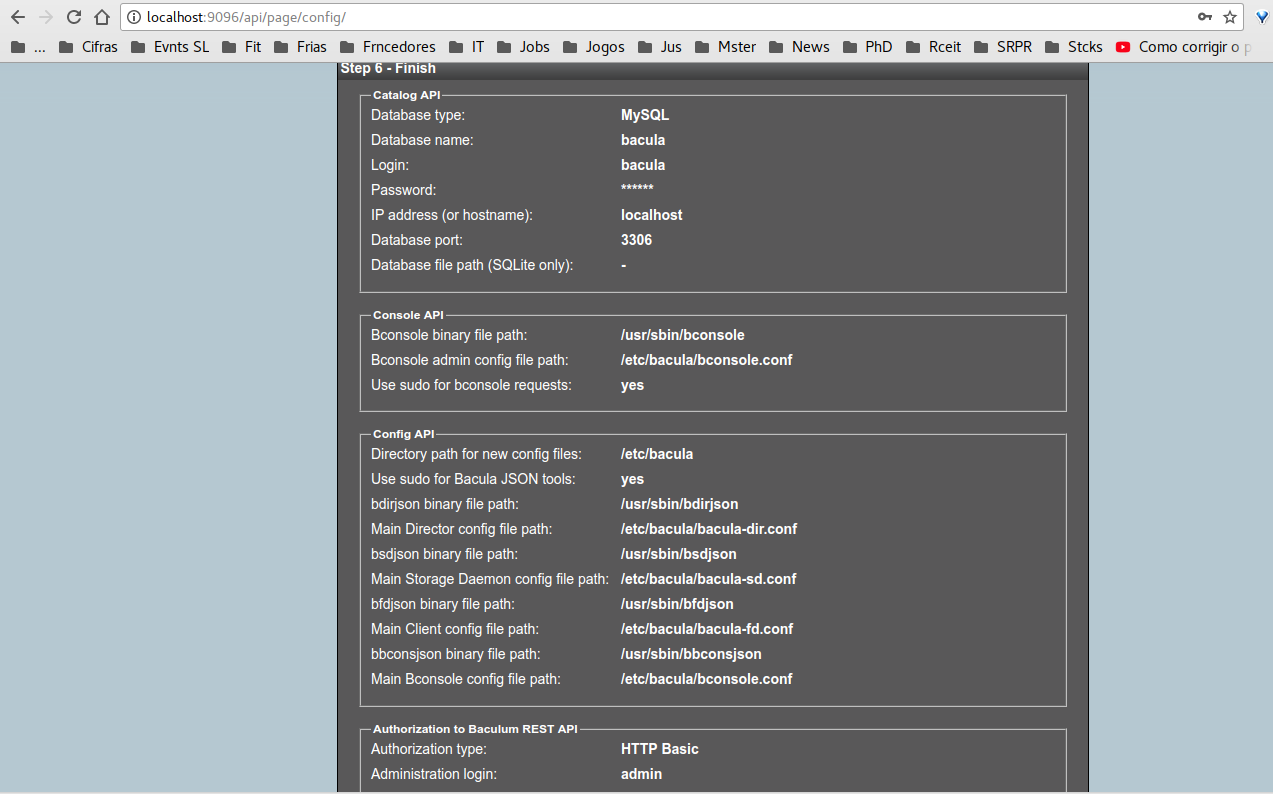
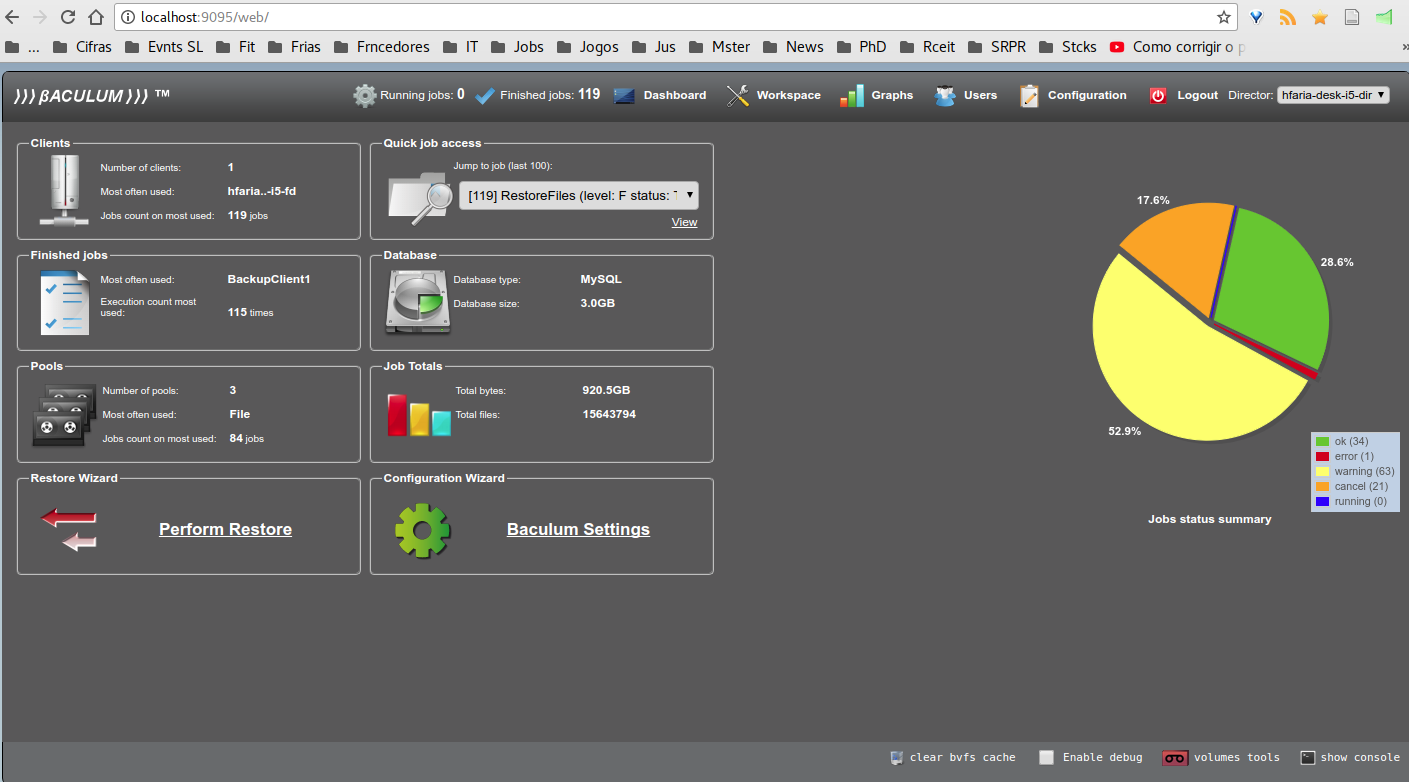
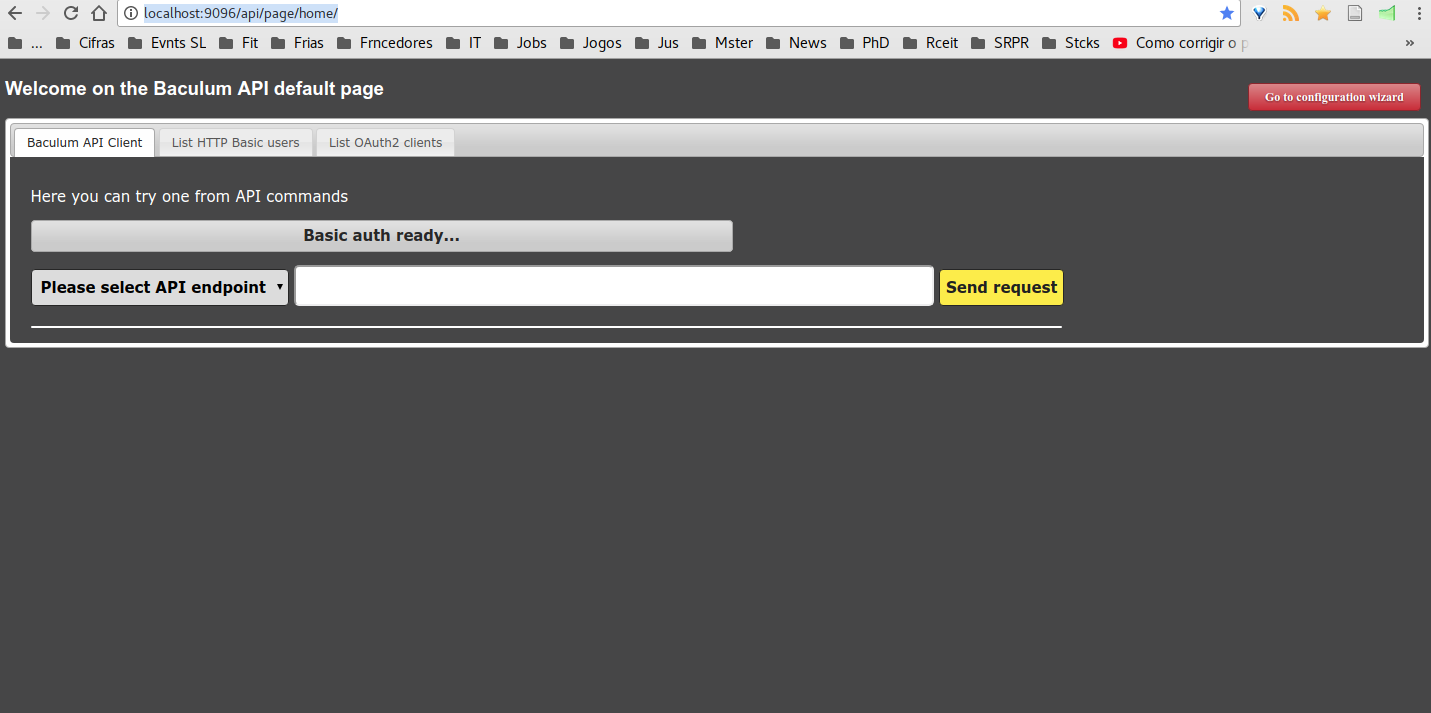
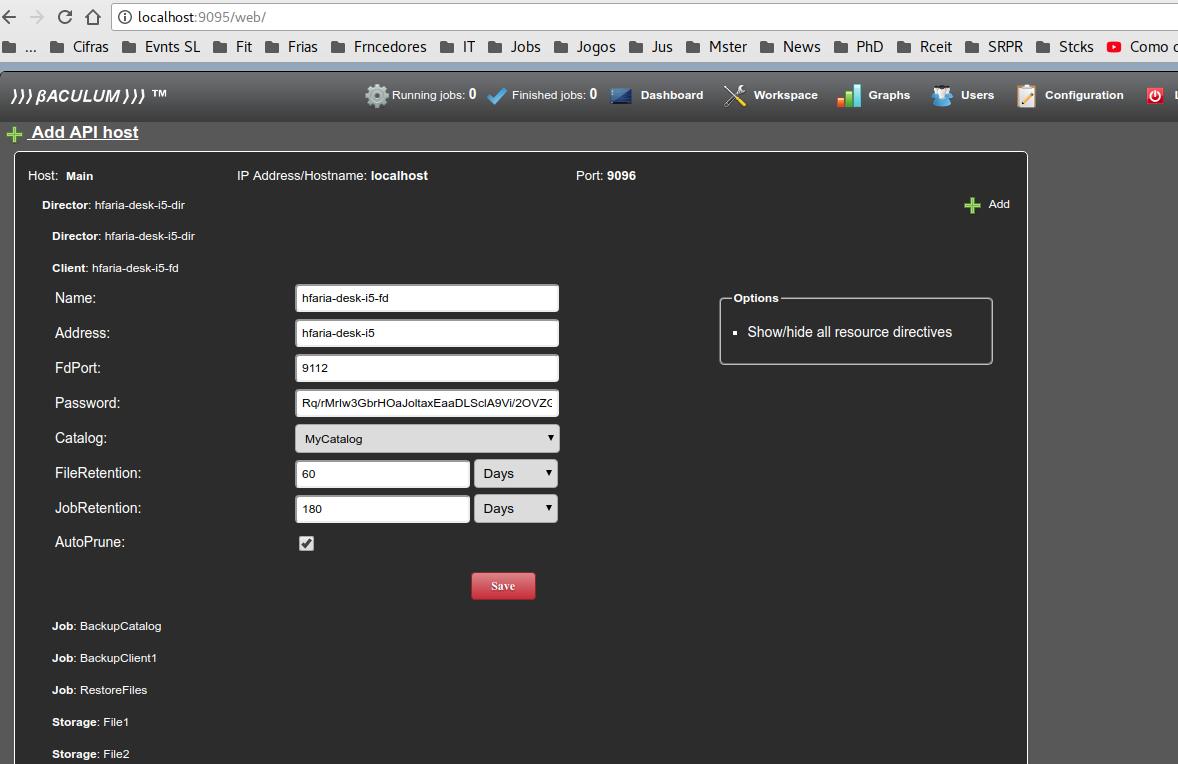
Telas de configuração, dashboard e API, respectivamente.
7. Referência

Baculum API and Web GUI. http://www.bacula.org/9.0.x-manuals/en/console/Baculum_API_Web_GUI_Tools.html

Leave a Reply

Baculum 9 – Graphical Bacula Configuration, Administration and API

Baculum 9 – Graphical Bacula Configuration, Administration and API

  • Post author:
  • Post category:Uncategorized
  • Post comments:0 Comments

Baculum (bacula-gui) is the official web graphic interface of the Bacula project (bacula.org). Version 9 contains a configuration module that allows the backup administrator to change Bacula backup settings without editing text files. Baculum also brings a new API that eases the integration with other software, interface, and consoles.

1. Installation

Baculum 9 works with other versions of Bacula, but only Bacula 9 has the json binaries – necessary for Bacula’s graphical configuration.

To install Bacula 9 from the source code, go to <http://bacula.us/compilation>.

Once you have a working Bacula deploy it is time to install Baculum API and interface, as follows.

2. Debian/Ubuntu

wget -qO - http://bacula.org/downloads/baculum/baculum.pub | apt-key add -

echo "
deb [ arch=amd64 ] http://bacula.org/downloads/baculum/stable/ubuntu xenial main
deb-src http://bacula.org/downloads/baculum/stable/ubuntu xenial main
" > /etc/apt/sources.list.d/baculum.list

apt-get update && apt-get install php-bcmath php7.0-mbstring baculum-api baculum-api-apache2 baculum-common bacula-console baculum-web baculum-web-apache2 

echo "Defaults:apache "'!'"requiretty
www-data ALL=NOPASSWD: /usr/sbin/bconsole
www-data ALL=NOPASSWD: /usr/sbin/bdirjson
www-data ALL=NOPASSWD: /usr/sbin/bsdjson
www-data ALL=NOPASSWD: /usr/sbin/bfdjson
www-data ALL=NOPASSWD: /usr/sbin/bbconsjson
" > /etc/sudoers.d/baculum

chown www-data /opt/bacula/etc
a2enmod rewrite
a2ensite baculum-web baculum-api
service apache2 restart

# Use the Internet browser to access and configure Baculum API http://localhost:9096/ and then Baculum http://localhost:9095/
# (replace localhost for the actual IP address if necessary)

3. Centos/RedHat

rpm --import http://bacula.org/downloads/baculum/baculum.pub

echo "
[baculumrepo]
name=Baculum CentOS repository
baseurl=http://bacula.org/downloads/baculum/stable/centos
gpgcheck=1
enabled=1

[baculumrepo]
name=Baculum Fedora repository
baseurl=http://bacula.org/downloads/baculum/stable/fedora
gpgcheck=1
enabled=1" > /etc/yum.repos.d/baculum.repo

yum install -y baculum-common baculum-api baculum-api-httpd baculum-web baculum-web-httpd

echo "Defaults:apache "'!'"requiretty
apache  ALL=NOPASSWD:  /usr/sbin/bconsole
apache  ALL=NOPASSWD:  /usr/sbin/bdirjson
apache  ALL=NOPASSWD:  /usr/sbin/bsdjson
apache  ALL=NOPASSWD:  /usr/sbin/bfdjson
apache  ALL=NOPASSWD:  /usr/sbin/bbconsjson" > /etc/sudoers.d/baculum

chown -R apache /opt/bacula/etc

firewall-cmd --permanent --zone=public --add-port=9095-9096/tcp
firewall-cmd --reload

service httpd restart

# Use the Internet browser to access and configure Baculum API http://localhost:9096/ and then Baculum http://localhost:9095/
# (replace localhost for the actual IP address if necessary)


4. Configuration

First configure the API through the http://localhost:9096/ URL (admin, admin). You can test each of the settings you have made. An API access credential (user and password or oauth) will be defined, according to the following screens.


Then, access the Baculum interface (http://localhost:9095/ – admin, admin) and also configure the language, access to the Bacula database, the Baculum API and Baculum Interface credential, as follows:


5. Themes

If you want to develop new CSS themes or change Baculum images, the location for the default theme is the following:

/usr/share/baculum/htdocs/themes/Baculum-v1

6. Screenshots

Configuration, dashboard and API screens.


Leave a Reply

Baculum 9 – Configuración Gráfica de Bacula, Administración y API

Baculum 9 – Configuración Gráfica de Bacula, Administración y API

  • Post author:
  • Post category:Uncategorized
  • Post comments:0 Comments

Baculum (bacula-gui) es la interfaz gráfica web oficial del proyecto Bacula (bacula.org). En la versión 9, ahora contiene un módulo de configuración, permitiendo al administrador de copia de seguridad cambiar la configuración de copia de seguridad sin necesidad de editar archivos de texto. Además, una API está disponible, facilitando la integración con otros softwares, interfaces y consolas.

1. Instalación

Baculum 9 funciona con otras versiones del Bacula, pero sólo el Bacula 9 posee los binarios json – necesarios para la configuración gráfica del Bacula.

Para instalar Bacula 9 desde el código fuente, acceda <https://www.bacula.lat/compilacao>.

Una vez que el Bacula está instalando y funcionando, se puede proseguir con la instalación de la API Baculum e interfaz, como sigue.

2. Debian/Ubuntu

wget -qO - http://bacula.org/downloads/baculum/baculum.pub | apt-key add -

echo "
deb [ arch=amd64 ] http://bacula.org/downloads/baculum/stable/ubuntu xenial main
deb-src http://bacula.org/downloads/baculum/stable/ubuntu xenial main
" > /etc/apt/sources.list.d/baculum.list

apt-get update && apt-get install php-bcmath php7.0-mbstring baculum-api baculum-api-apache2 baculum-common bacula-console baculum-web baculum-web-apache2

echo "Defaults:apache "'!'"requiretty
www-data ALL=NOPASSWD: /usr/sbin/bconsole
www-data ALL=NOPASSWD: /usr/sbin/bdirjson
www-data ALL=NOPASSWD: /usr/sbin/bsdjson
www-data ALL=NOPASSWD: /usr/sbin/bfdjson
www-data ALL=NOPASSWD: /usr/sbin/bbconsjson
" > /etc/sudoers.d/baculum

chown www-data /etc/bacula/
a2enmod rewrite
a2ensite baculum-web baculum-api
service apache2 restart

# Acesse e configure pelo navegador de Internet a API http://localhost:9096/ e depois o Baculum http://localhost:9095/ 
# (substitua localhost pelo IP do servidor se necessário)

3. Centos/RedHat

rpm --import http://bacula.org/downloads/baculum/baculum.pub

echo "
[baculumrepo]
name=Baculum CentOS repository
baseurl=http://bacula.org/downloads/baculum/stable/centos
gpgcheck=1
enabled=1

[baculumrepo]
name=Baculum Fedora repository
baseurl=http://bacula.org/downloads/baculum/stable/fedora
gpgcheck=1
enabled=1" > /etc/yum.repos.d/baculum.repo

yum install -y baculum-common baculum-api baculum-api-httpd baculum-web baculum-web-httpd

echo "Defaults:apache "'!'"requiretty
apache  ALL=NOPASSWD:  /usr/sbin/bconsole
apache  ALL=NOPASSWD:  /usr/sbin/bdirjson
apache  ALL=NOPASSWD:  /usr/sbin/bsdjson
apache  ALL=NOPASSWD:  /usr/sbin/bfdjson
apache  ALL=NOPASSWD:  /usr/sbin/bbconsjson" > /etc/sudoers.d/baculum

chown -R apache /opt/bacula/etc

firewall-cmd --permanent --zone=public --add-port=9095-9096/tcp
firewall-cmd --reload

service httpd restart

# Acesse e configure pelo navegador de Internet a API http://localhost:9096/ e depois o Baculum http://localhost:9095/
# (substitua localhost pelo IP do servidor se necessário)


 4. Configuración

Primero configure la API a través de la URL http://localhost:9096/ (admin, admin). Puede utilizar el idioma Español y probar cada uno de los ajustes realizados. Se definirá una credencial exclusiva de acceso a la API (usuario y contraseña o auth), de acuerdo con las siguientes pantallas.


Entonces, acceda a la interfaz Baculum (http://localhost:9095/ – admin, admin) y configure también el idioma, acceso a la base de datos de Bacula, a la API Baculum y credencial de la Interfaz Baculum, de la siguiente manera:


5. Temas

Si desea desarrollar nuevos temas CSS o cambiar imágenes de Baculum, el lugar para el tema predeterminado es el siguiente:

/usr/share/baculum/htdocs/themes/Baculum-v1

6. Screenshots

Pantallas de configuración, tablero de instrumentos y API, respectivamente.

Leave a Reply