
Install the necessary packages
yum install sssd realmd oddjob oddjob-mkhomedir adcli samba-common samba-common-tools krb5-workstation openldap-clients policycoreutils-python
Integrate Active Directory by replacing it below with the address of yours
realm join --user=tech adserver.example.com
Password for tech:
Make sure the association was successfully made
 [root@servera ~]# realm list
example.com
  type: kerberos
  realm-name: EXAMPLE.COM
  domain-name: example.com
  configured: kerberos-member
  server-software: active-directory
  client-software: sssd
  required-package: oddjob
  required-package: oddjob-mkhomedir
  required-package: sssd
  required-package: adcli
  required-package: samba-common-tools
  login-formats: %U@example.com
  login-policy: allow-realm-logins
Change the etc/sssd/sssd.conf file to enable authentication without having to enter the domain
# de
use_fully_qualified_names = True
fallback_homedir = /home/%u@%d

# para
use_fully_qualified_names = False
fallback_homedir = /home/%u
Test user identification
[root@servera ~]# id user
uid=1997801106(user) gid=1997800513(domain users) groups=1997800513(domain users)
Add the Linux bacula user to the wheel group.
gpasswd -a bacula wheel
Also uncomment the following line in /etc/pam.d/su
vi /etc/pam.d/su
...
auth		required	pam_wheel.so use_uid
Create a user exactly named admin to be associated with and log in to Bweb
useradd admin
From the Bweb – Bweb configuration menu, enable the system authentication option. Refresh the screen and login as the admin user.
From the Bweb Configuration menu – Users, create the users with the same name that they have in Active Directory, as shown in Figure 1.
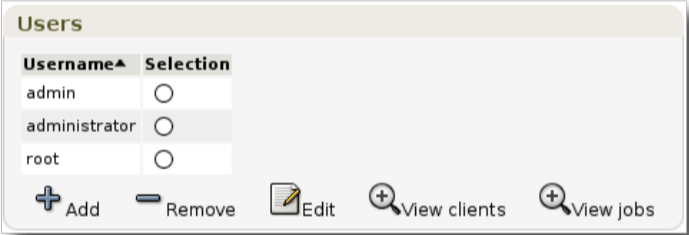
Ready! New users can now authenticate to Bweb with the same AD name and password.